
Eaton MTL PCL45USB Configuration Link for Safe-Area Setup of MTL Temperature Converters and Pulse Isolators
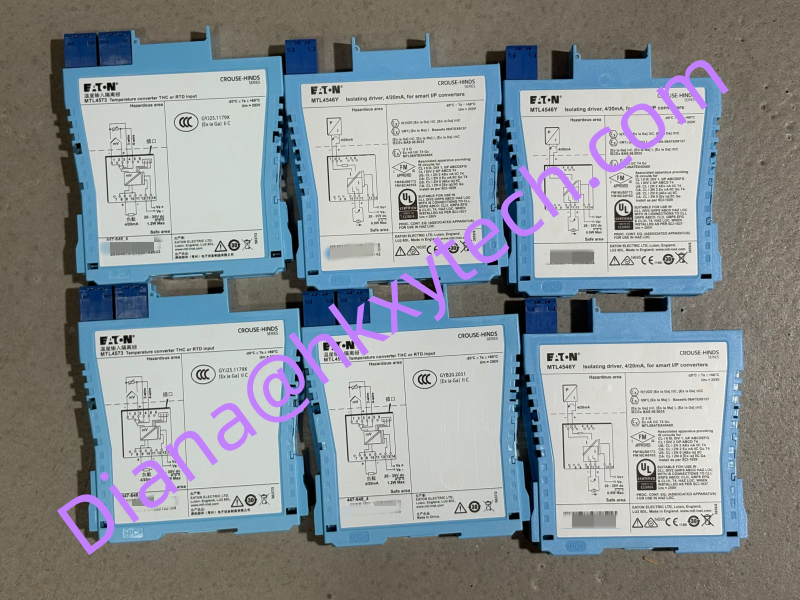
Eaton MTL PCL45USB is the hardware communication link used with PCS45 configuration software to connect an authorized MTL converter to a standard computer. It provides the physical interface needed to review, program, save, and document device settings for selected MTL4500, MTL5500, and earlier converter families. For engineers supporting installed temperature-converter and pulse-isolator populations, PCL45USB can be an important maintenance tool rather than an ordinary USB cable.
A Configuration Workflow Built Around the Exact Module
The typical PCL45USB workflow begins with a supported MTL converter installed in a safe-area cabinet. PCS45 software runs on the computer, while PCL45USB connects to the PC through USB and to the converter through its built-in 3.5 mm, three-pole jack lead. An adapter cable can be used for authorized earlier converter types. Once communication is established, technicians can inspect parameters, adjust the configuration, save a record to disk, and print the settings for project documentation.
This capability is useful when a replacement converter must reproduce an existing channel configuration. Instead of relying on handwritten notes, the team can work from a saved parameter file or a verified printed record. PCL45USB also supports workshop preparation: modules can be configured and checked before they are taken to the operating plant, reducing the amount of cabinet work required during a shutdown.
What Is Included in the Interface Concept
- PCL45USB hardware for communication between a compatible converter and the PC.
- USB connection on the computer side and a fitted converter lead on the module side.
- PCS45 software for reading, changing, saving, and printing configuration data.
- An adapter arrangement for specified earlier MTL converter families.
- Safe-area use with only equipment authorized by Eaton MTL documentation.
The interface receives power through the connection arrangement and may require a short charging period after the converter plug is inserted before communication becomes available. The 3.5 mm plug should be fully seated. If the link is not detected, check the driver installation, USB port, cable condition, device compatibility, and software environment before assuming that PCL45USB is defective.
Compatibility Should Be Confirmed Before Purchase
PCL45USB is not a universal programming cable. Eaton documentation states that it should be used only with authorized devices. Compatible product examples depend on the applicable documentation and may include selected MTL temperature converters and pulse isolators from the MTL4000, MTL4500, MTL5000, and MTL5500 ranges. The exact converter model and its current datasheet should be checked before connection.
Software and driver compatibility also deserves attention. Published PCL45USB instructions were prepared for specific Microsoft Windows generations, and older software media may not match a modern company computer. Before ordering for an active maintenance job, confirm the available PCS45 version, driver package, operating-system policy, USB permissions, and whether the customer already has the required installation files. Corporate security controls may prevent unsigned or legacy drivers from being installed without IT approval.
For this reason, a PCL45USB inquiry should identify both the converter and the computer environment. A buyer searching only for the cable may overlook the software and driver preparation needed for successful communication.
Safe-Area Use and Handling
PCL45USB is intended to support configuration from the safe area. The approved installation conditions must be followed, and the interface should not be carried into a hazardous location simply because the connected field loop is intrinsically safe. Repairs to PCL45USB are not permitted under the published product instructions. A damaged housing, cable, plug, or USB connector should therefore be treated as a replacement issue rather than a field repair.
Protect the converter-side jack plug from dirt and mechanical impact. Do not pull the cable to remove the connector. During storage, coil the leads loosely and keep the interface with its adapter, USB cable, software record, and driver information. A complete kit is much easier to deploy during urgent maintenance than loose components stored in different locations.
The published hardware information describes a fitted converter cable of approximately 1.5 m and a supplied USB cable of approximately 2 m. Operating and storage conditions, humidity limits, and permitted equipment should be checked in the current documentation before use.
Recommended Site Procedure
- Record the exact MTL converter model and existing process-channel function.
- Confirm that the converter documentation authorizes PCL45USB.
- Install the approved PCS45 software and PCL45USB driver under the site IT procedure.
- Connect PCL45USB in the safe area and allow the interface to become ready.
- Read the existing configuration before making any change and save a dated backup.
- Apply only approved parameters, then verify the displayed values against the engineering sheet.
- Print or export the final settings and update the instrument maintenance record.
This sequence gives the maintenance team a recoverable starting point and a clear record of the final configuration. It is especially valuable when several similar modules have different input types, ranges, alarm actions, or output scaling.
Purchasing PCL45USB for Maintenance Support
PCL45USB may be requested for commissioning teams, calibration workshops, plant shutdown preparation, legacy-system support, or spare-tool inventory. Provide the required quantity, destination, delivery date, and the exact MTL converter models that will be configured. If an existing kit is incomplete, identify whether the USB cable, adapter lead, driver, or software information is also needed.
Sunup-MTL can assist with PCL45USB model checking, quotation, export shipment, and combined sourcing of compatible MTL converters and accessories. Because configuration changes can affect process measurement and safety functions, all work should be performed by trained personnel under the approved site procedure and current Eaton MTL documentation.